Welcome to QuasiPaper, the virtual printed-document solution.
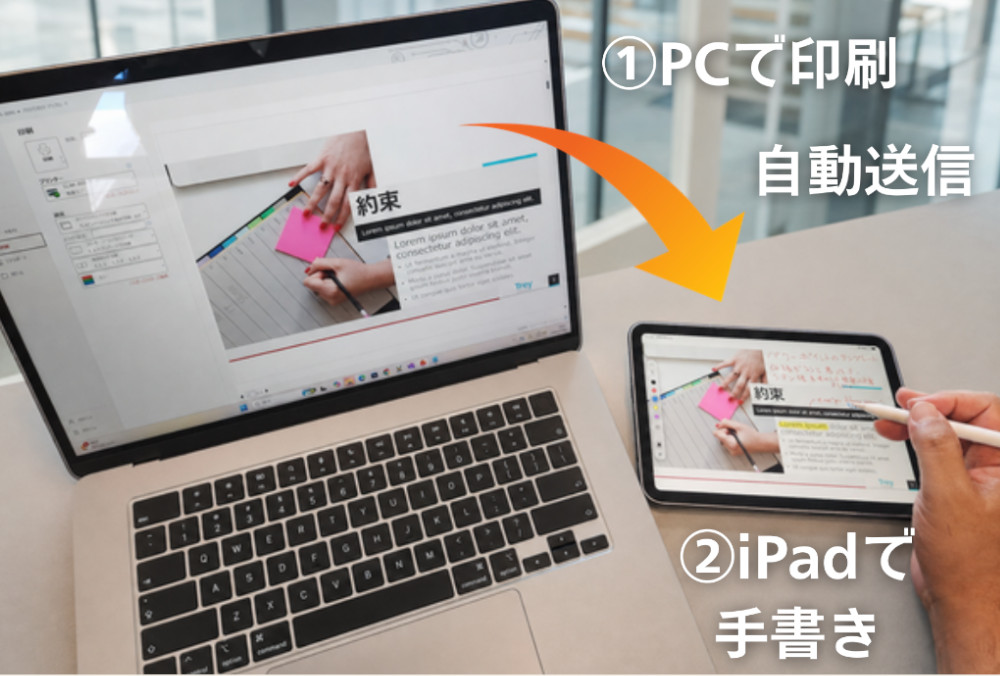
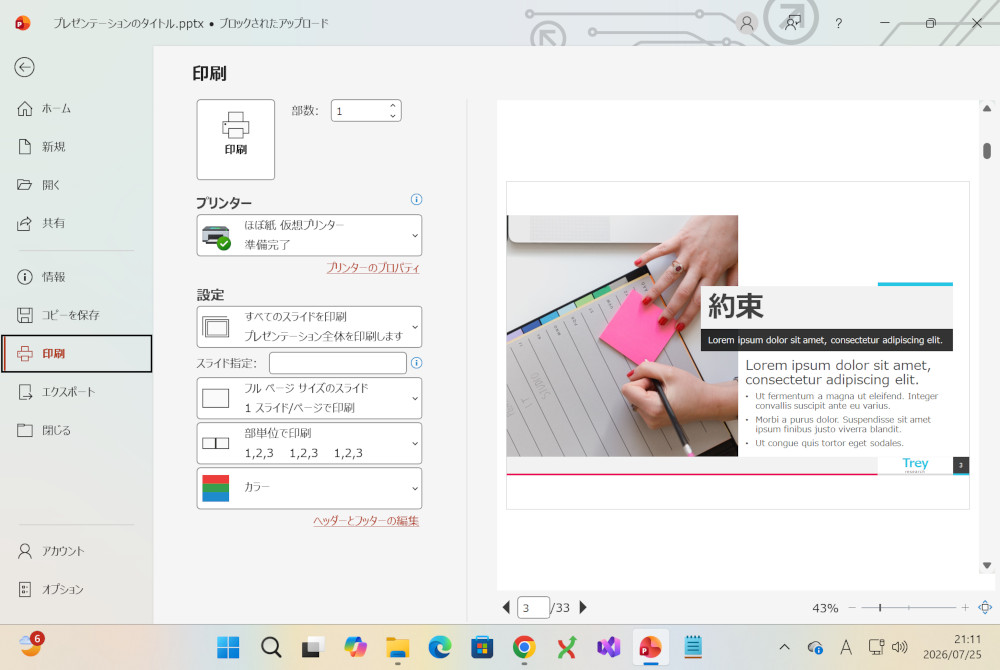
QuasiPaper is a solution that sends documents printed from a PC not to paper, but to smartphones and tablets.
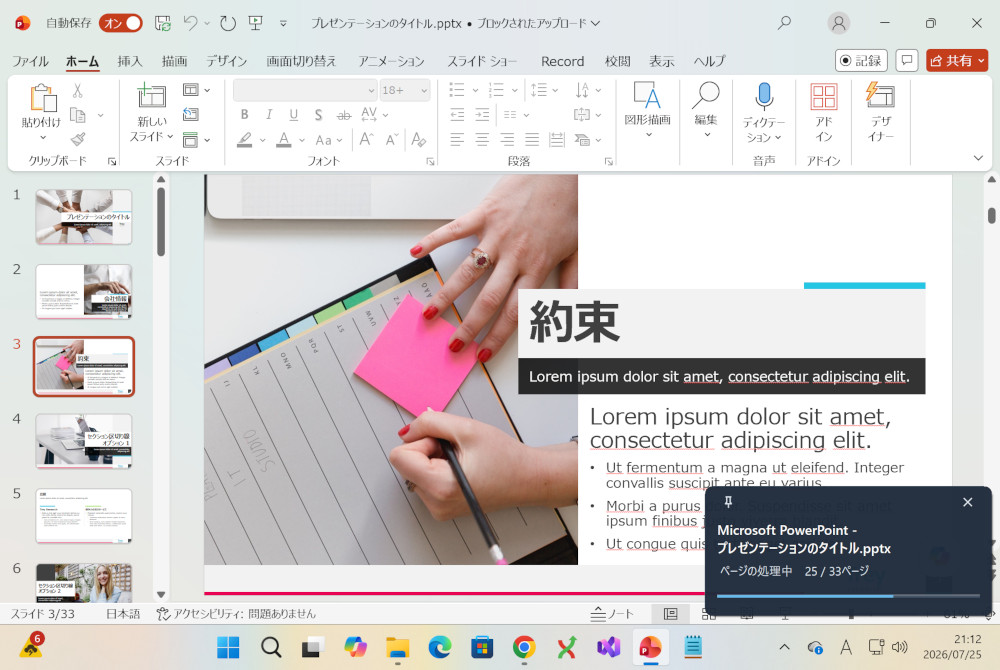
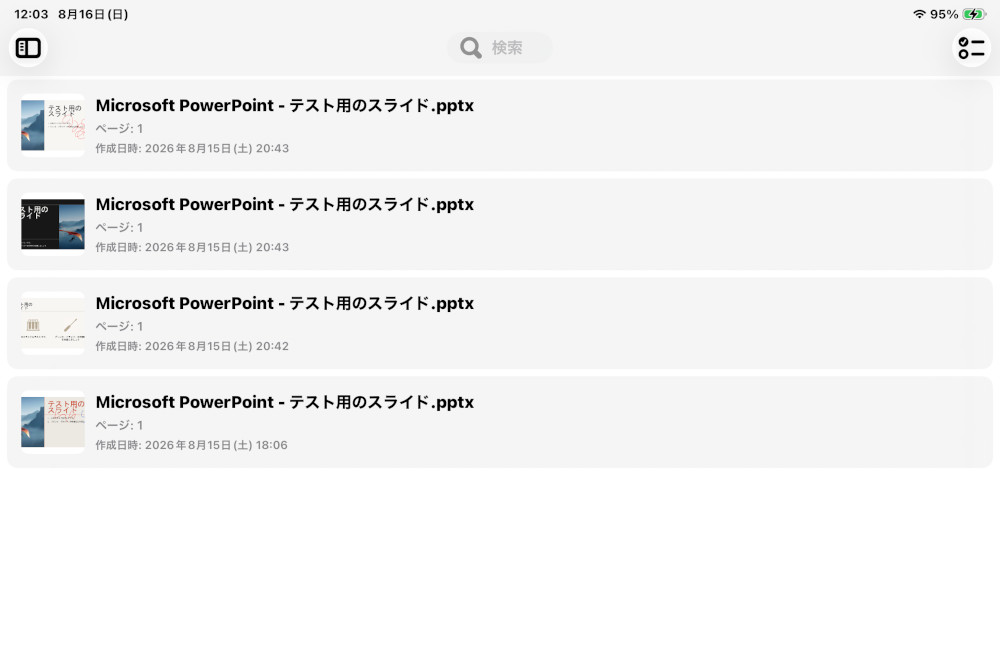
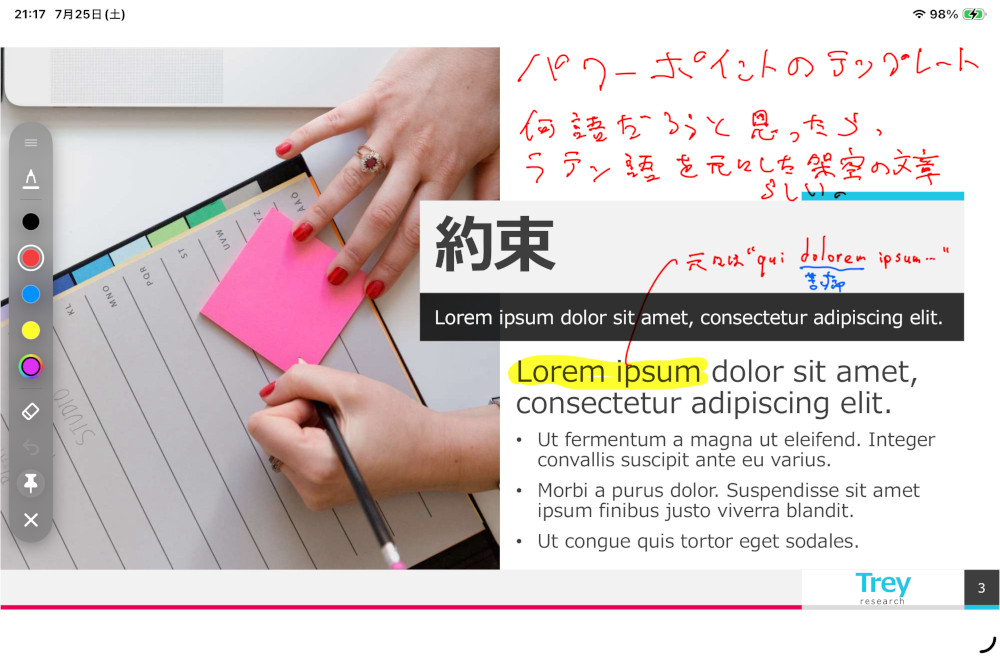
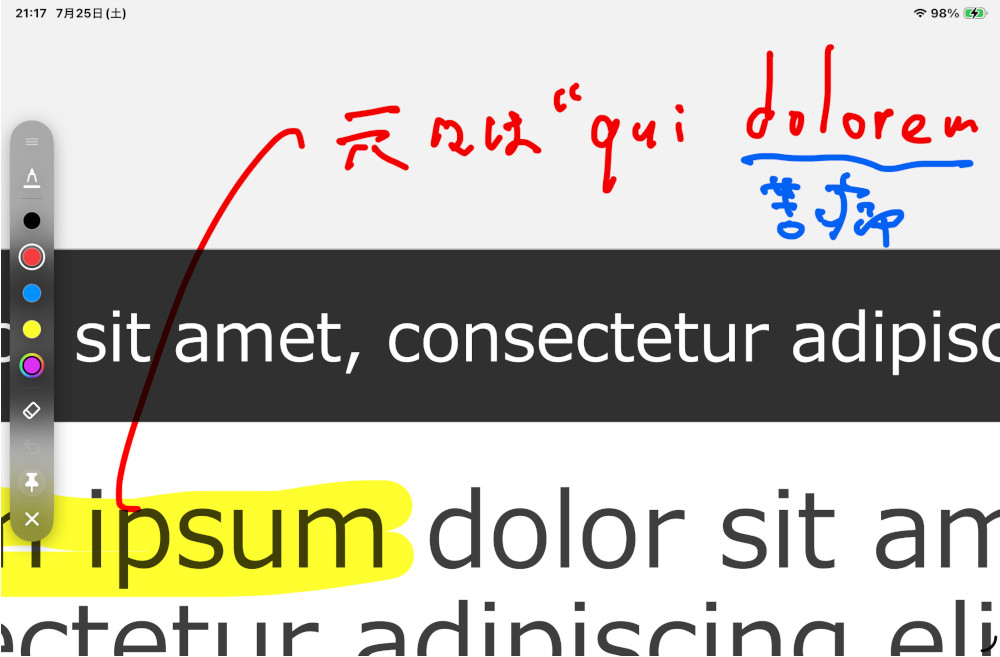
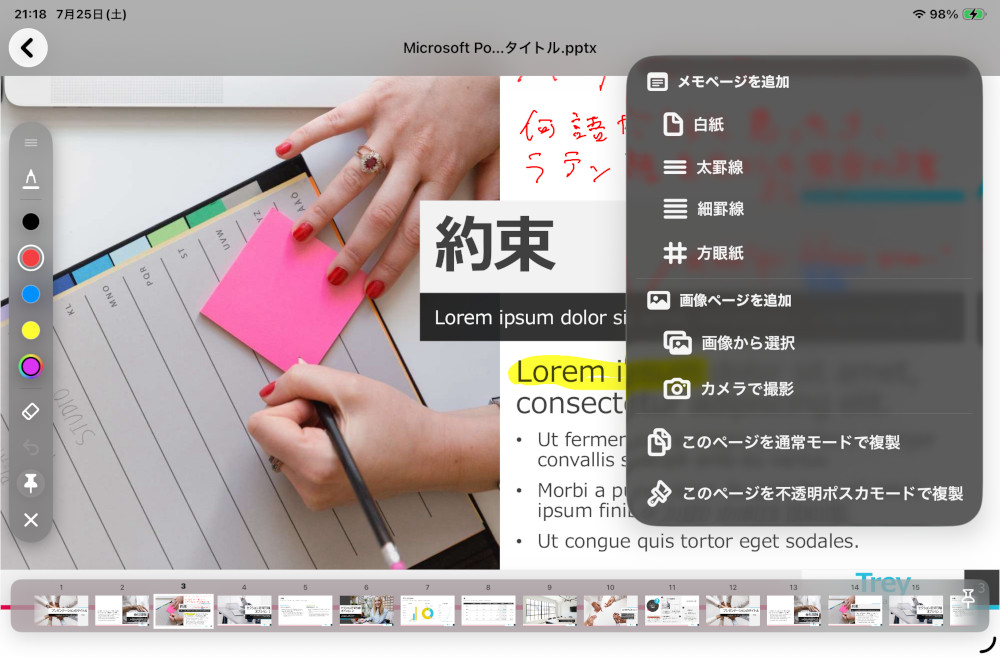
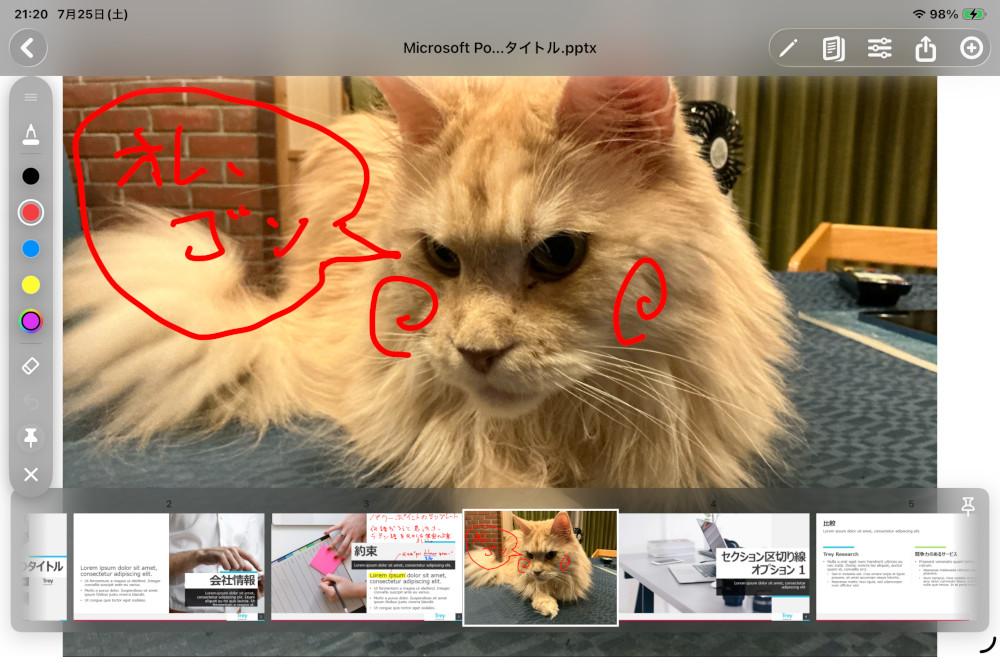
When you print from your PC as usual using the printer driver, the document is sent to the QuasiPaper server instead of a printer. It is then displayed on your smartphone or tablet. On the device, you can read the printed document, add red-pen notes, insert memo pages, or add photo pages.
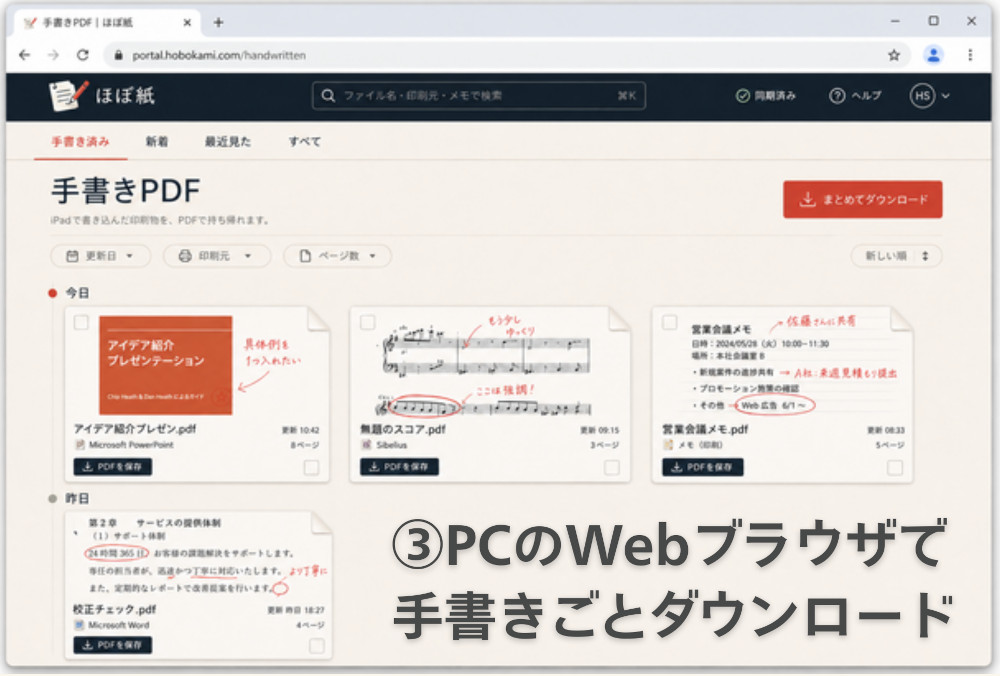
After marking up the document, you can download it as a PDF from your PC’s web browser.
Print it, add red-pen notes, and hand it over. QuasiPaper keeps that familiar workflow almost unchanged — only the paper becomes digital.
We’re currently preparing for the beta release.
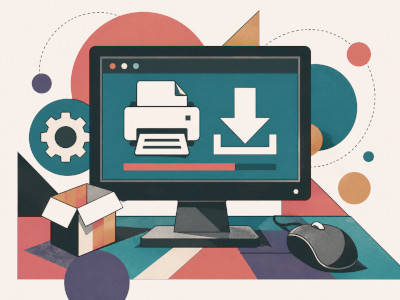
Get the QuasiPaper Printer Driver
Print to your tablet from any PC app that supports printing through the QuasiPaper printer driver. Supports Windows 11 x64/ARM.

Get the QuasiPaper Mobile App
Download the smartphone and tablet app that receives prints from the QuasiPaper printer driver. Available for iOS.


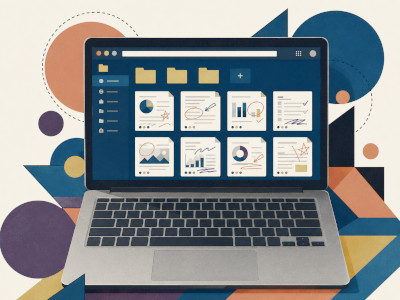
Reusing Marked-Up Documents on PC
After marking up in the QuasiPaper mobile app, retrieve the PDF via the PC app. It is also downloadable from the Web Portal.

Become a QuasiPaper Sales Partner
Partner with us to bring QuasiPaper to more customers. Sell QuasiPaper volume licenses and annual licenses as our reseller.
Save on Paper Printing Costs
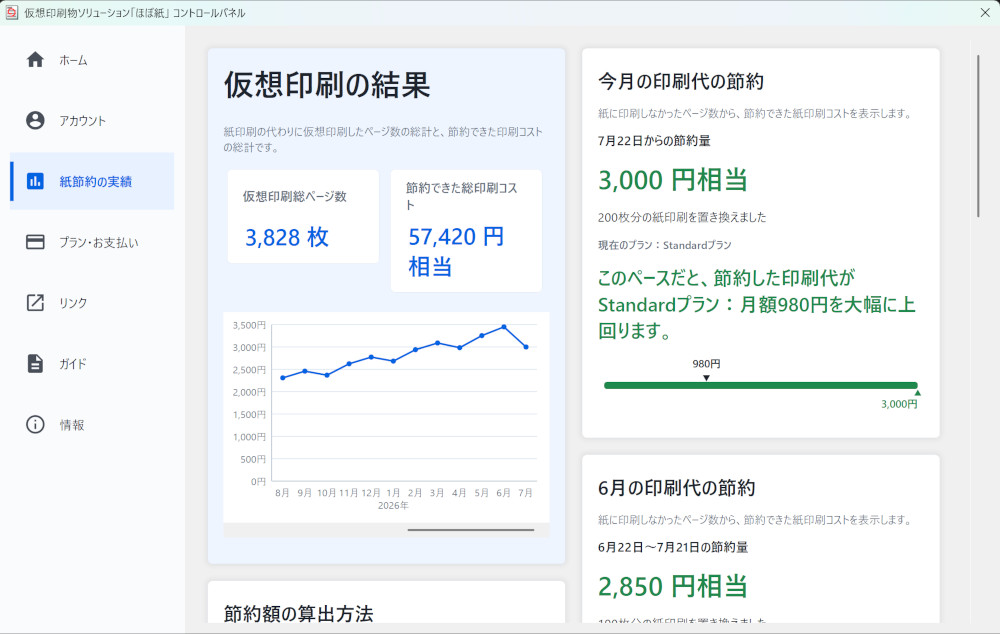
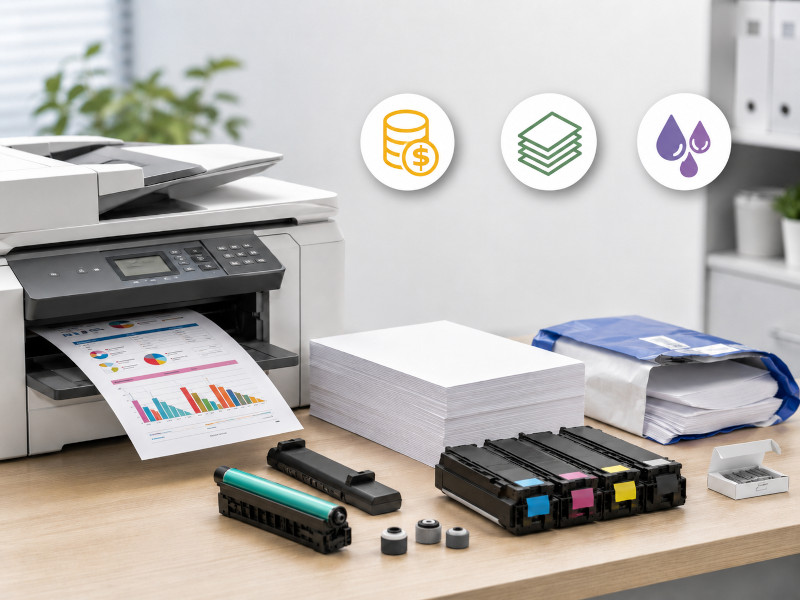
With QuasiPaper, you can digitize paper printing and reduce printing costs.
Copy paper, toner and ink, printers, maintenance, repairs, paper refills, storage, and disposal. Each printed page may look inexpensive, but as monthly print volume grows, those costs steadily add up for the company.
For example, suppose a letter-size color print costs $0.15 per page. If you print 27 pages a month, that alone adds up to $4.05. In other words, if you can replace about 27 color prints per month, the Basic plan can pay for itself through printing cost reductions alone.
Meeting materials, documents for review, documents printed only so someone can add red-pen notes — try counting how many of these are printed every month.
You do not have to eliminate all paper. When paper is truly necessary, keep using paper. What matters is starting with the prints that do not really need to be paper.
With QuasiPaper, you can smoothly replace review and markup documents that used to be printed on paper with a digital workflow. Why not start reducing paper printing costs by cutting just a few color prints each month?

Cut the Labor Costs Hidden in Time-Consuming Work
Company costs are not just paper and toner. The time people spend on work is also a major cost.
The cost of a full-time employee is not just salary. When you include payroll taxes, health insurance, paid leave, retirement contributions, and other benefits, the real hourly cost can be much higher than it first appears.
For example, your team may only need to add a small correction note to a document. But is paid time being spent on neatly placing boxes and arrows in office software, fixing file names, choosing save locations, or searching for similar documents again and again?
Each of these tasks may take only a few minutes. But over time, they add up. And when people spend their focus on making things look neat or organizing files instead of thinking about the actual content, fatigue builds up. The accuracy of important decisions and reviews can suffer as well.
Of course, that does not mean explanations should be vague or careless. If instructions are unclear, the other person may misunderstand them. That leads to more confirmation messages, more corrections, and more rework. Trying to save a little time on communication can end up costing much more time later.
What matters is not making the document look beautiful. What matters is making sure the message is understood correctly.
With QuasiPaper, you can leave instructions quickly, just like circling something in red on a printed document, drawing an arrow, or writing a short note in the margin. Spend less time making markups look polished, and focus more on what you need to communicate. That is another major opportunity to reduce labor costs.

You Don’t Have to Change the Way You Work
Even when work uses paper, that paper is often not the final deliverable.
People cannot keep every piece of information organized entirely in their heads. They underline what they need to check. They write notes in the margin. They rearrange things to think through the order. They mark the places that need correction. For this kind of work, printed paper is used as a workspace for thinking.
But what is handed over as work is the refined, organized information in the required format. That does not need to change.
What QuasiPaper replaces is the workspace before that information is finalized. Checking, thinking, writing, correcting, rearranging — the paper used for those in-between steps simply becomes a tablet.
That means you do not have to change the business workflow itself. The format of the information you hand over, the format you store, and the format you register in your internal systems can all stay the same.
People feel the burden of digital transformation when they are suddenly forced to change familiar ways of working. QuasiPaper does not force that change.
Because it starts with the same familiar action — printing from a PC — it can be used with any software that can print through a printer driver.
QuasiPaper does not require you to redesign your work around a specific business system. It fits directly into the workflow you already have. That is what makes it easy to introduce.

Keep Your Important Print Data Secure
QuasiPaper is a service that sends print data from your PC to your smartphone or tablet instead of printing it on paper. Quotes, contracts, internal documents, drawings, documents under review — printed materials often contain information your company needs to protect.
That is why QuasiPaper uses Amazon S3, the cloud storage service from Amazon Web Services (AWS), to store print data. By using a cloud platform trusted by large-scale enterprise systems, QuasiPaper provides the familiar ease of paper while maintaining the level of security required for business data.
QuasiPaper storage is built on a platform designed for 99.999999999% data durability, often referred to as “eleven nines.” In a standard configuration, data is redundantly stored across multiple Availability Zones, protecting print data at a level fundamentally different from leaving paper documents in a single physical location.
Data at rest is protected with AES-256 encryption. Communication paths are also encrypted, allowing the entire workflow — sending print data from a PC, viewing it on a tablet, and downloading the handwritten PDF afterward — to take place through secure channels.
For login, QuasiPaper uses Sign in with Apple. Because it works with Apple Account two-factor authentication, Face ID, and Touch ID, QuasiPaper can reduce the need to manage its own passwords and help lower risks caused by password reuse or credential leaks.
Paper documents can lead directly to information leaks when they are left behind or lost. QuasiPaper keeps the intuitive ease of paper while combining cloud infrastructure, encryption, authentication, and redundant storage design to make review and markup documents safer to handle digitally.
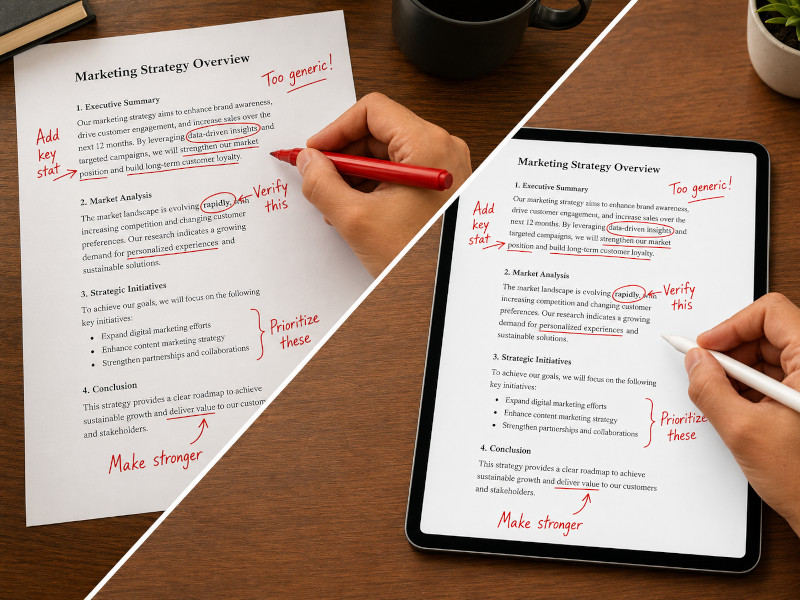
Bring the Benefits of Paper into Digital Work
Even today, when so much work has gone digital, there are still many times when people want to print something on paper to review it.
When you want to read a document carefully. When you want to revise a piece of writing. When you want to add corrections in red. When you are in a meeting or training session and want to write down important points while listening. You may still see printed documents being used in situations like these around you.
PC screens are convenient. Text looks clean, editing is easy, and everything is efficient. But because they are so convenient, it is also easy to skim through documents or feel as if you have checked something properly when you have not.
“I thought I read it, but it did not really stay in my head.”
Have you ever felt that way?
Printed paper is not useful because paper itself is special. It is useful because you can write freely on top of printed text. You can add your own words in the margin. You can circle important paragraphs, connect ideas with arrows, and draw a quick diagram the moment it comes to mind. That freedom is the real strength of paper.
The same is true in meetings and training sessions. The goal is not just to listen. The goal is to understand the content and take it back with you. Just as we used to take handwritten notes in school, there are still many situations as adults where writing directly on handouts feels natural.
Paper is also convenient when you want to add comments or corrections and pass a document to someone else. If all you need is to give a small correction instruction, you do not have to create a polished diagram with shape tools in office software. Sometimes, circling something in red, drawing an arrow, and writing a short note in the margin is enough.
In other words, the advantage of paper is that you can freely add your thoughts and instructions directly to printed documents.
QuasiPaper keeps that analog convenience of paper printing and brings it into digital work without reducing efficiency. That is the idea behind QuasiPaper’s virtual printed-document solution.
Plans & Pricing
Basic Plan
$3.99 / month
Print from the printer driver
1 GB cloud storage
Download marked-up PDFs
Standard Plan
$7.99 / month
Print from the printer driver
15 GB cloud storage
Download marked-up PDFs
Add memo pages
Add photo pages
Premium Plan
$11.99 / month
Print from the printer driver
100 GB cloud storage
Download marked-up PDFs
Add memo pages
Add photo pages
Try QuasiPaper free for 3 months!
See how it works in your actual day-to-day work.
Volume Licensing Availability
The volume licensing is currently available in Japan only.
We are not yet offering international volume licensing, mainly due to payment and administrative requirements for cross-border transactions.
However, for deployments of more than 1,000 licenses, please contact us. We will review the possibility of supporting your region.